In my last article I've created a custom vCenter alert with a special event trigger. I've received a question about how to figure out the trigger event string to be used for creating alarms.
The vSphere Client shows the following error event:
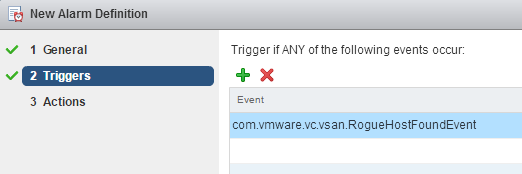
To create an alarm based on this event, you have to create a new alarm and use the following event trigger: com.vmware.vc.vsan.RogueHostFoundEvent
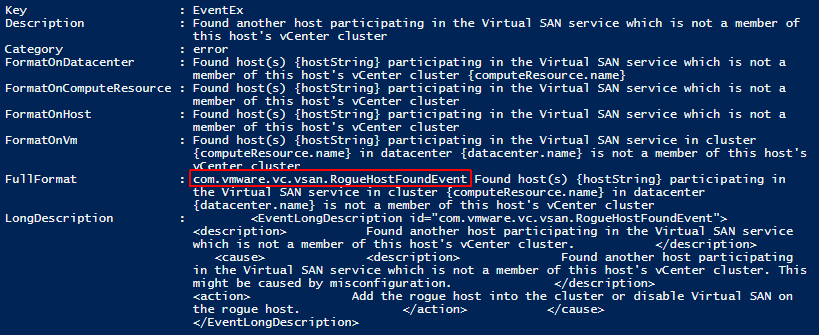
To identify the string I've used the PowerCLI cmdlet Get-VIEvent, which discloses more information about the event. The following output shows the FullFormattedMessage we can see in the vSphere Client and the EventTypeID you need for the alarm trigger.

EventTypeId          : com.vmware.vc.vsan.RogueHostFoundEvent
Severity             :
Message              :
Arguments            : {host, hostString}
ObjectId             : host-150
ObjectType           : HostSystem
ObjectName           : vesx2.virten.lab
Fault                :
Key                  : 31029
ChainId              : 31029
CreatedTime          : 23.11.2015 20:28:01
UserName             :
Datacenter           : VMware.Vim.DatacenterEventArgument
ComputeResource      : VMware.Vim.ComputeResourceEventArgument
Host                 : VMware.Vim.HostEventArgument
Vm                   :
Ds                   :
Net                  :
Dvs                  :
FullFormattedMessage : Found host(s) malicious-esxi.local participating in the Virtual SAN service in cluster
                       vCluster in datacenter DC is not a member of this host's vCenter cluster
ChangeTag            :
If you can't find an actual event with Get-VIEvent you can also query the eventManager which has a full list of all events with their description. The following snippet gets a list of all events and filters the output based on a part of the error message we can see in the vSphere Client. Try to pick a part of the error message where no variables are used ("malicious-esxi.local" is a variable, so i am using the part "participating in the Virtual SAN")
$evt = get-view eventManager
$evt.get_Description() | select -expand Eventinfo |where Description -like "*participating in the Virtual SAN*"
In some cases, the Description differs from FullFormat. If you can't find the event, try to filter for the FullFormat message:
$evt = get-view eventManager
$evt.get_Description() | select -expand Eventinfo |where FullFormat -like "*participating in the Virtual SAN*"
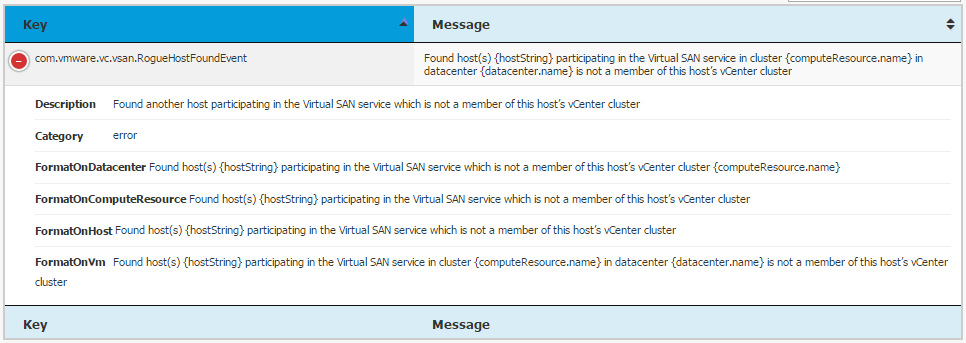
I also maintain a list of all vCenter Events in my vCenter Event Database. You can use the search function to search for any part of the event description.
To create the custom alarm:
- Navigate to vCenter > Manage > Alarm Definitions and click Add (Green +)
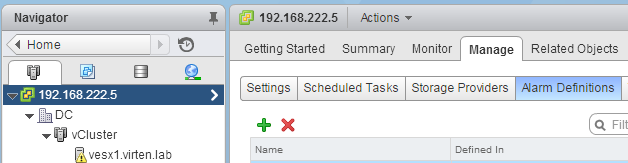
- Configure general settings
Alarm name: Rogue Host Found in Virtual SAN Cluster.
Monitor: Hosts
Monitor for: specific event occuring on this object.
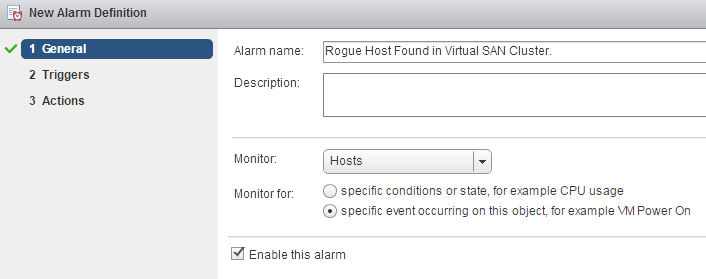
- Add a trigger for the event com.vmware.vc.vsan.RogueHostFoundEvent
- Finish the wizard
que bueno
Great article, but is there a way under vCenter 7.x. Thanks
unfortunately it seems that this possibility has been removed in vSphere 7 and newer. :-(
there is a way unter vCenter 7/8:
https://communities.vmware.com/t5/VMware-vCenter-Discussions/How-to-create-custom-vCenter-Alarms-from-Events-vCenter-7-0/td-p/2972911